Free
Gamepad Bench
Free online gamepad and controller tester for stick drift, buttons, triggers, and polling rate in your browser.
Pricing
Free
Views
28
Published
Directory
ThisTool
About Gamepad Bench
Gamepad Bench is a free online gamepad and controller tester that runs entirely in your web browser. It is built for anyone who wants a clear, immediate picture of how a controller is behaving: whether the analog sticks drift while you are not touching them, whether every button registers a press, how far the triggers travel, and how often the browser receives fresh samples from the pad. There is no desktop app to install, no account to create on the tester itself, and no special hardware beyond a controller your computer can already see over USB or Bluetooth.
The tool is for players checking a used or aging pad before a match, parents testing a controller a child says feels wrong, streamers confirming input before going live, and developers who need to see what the browser Gamepad API actually reports. It is also handy when you move between consoles and a PC and want one neutral view of the same device. Gamepad Bench works with controllers the browser exposes through the standard Gamepad API. In practice that includes many Xbox Wireless and Xbox-style pads, PlayStation DualSense and DualShock controllers, Nintendo Switch Pro controllers, and a wide range of generic or third-party USB gamepads. Button labels can differ by browser and by how the operating system presents the device, but the live view still shows the axes and buttons the page receives.
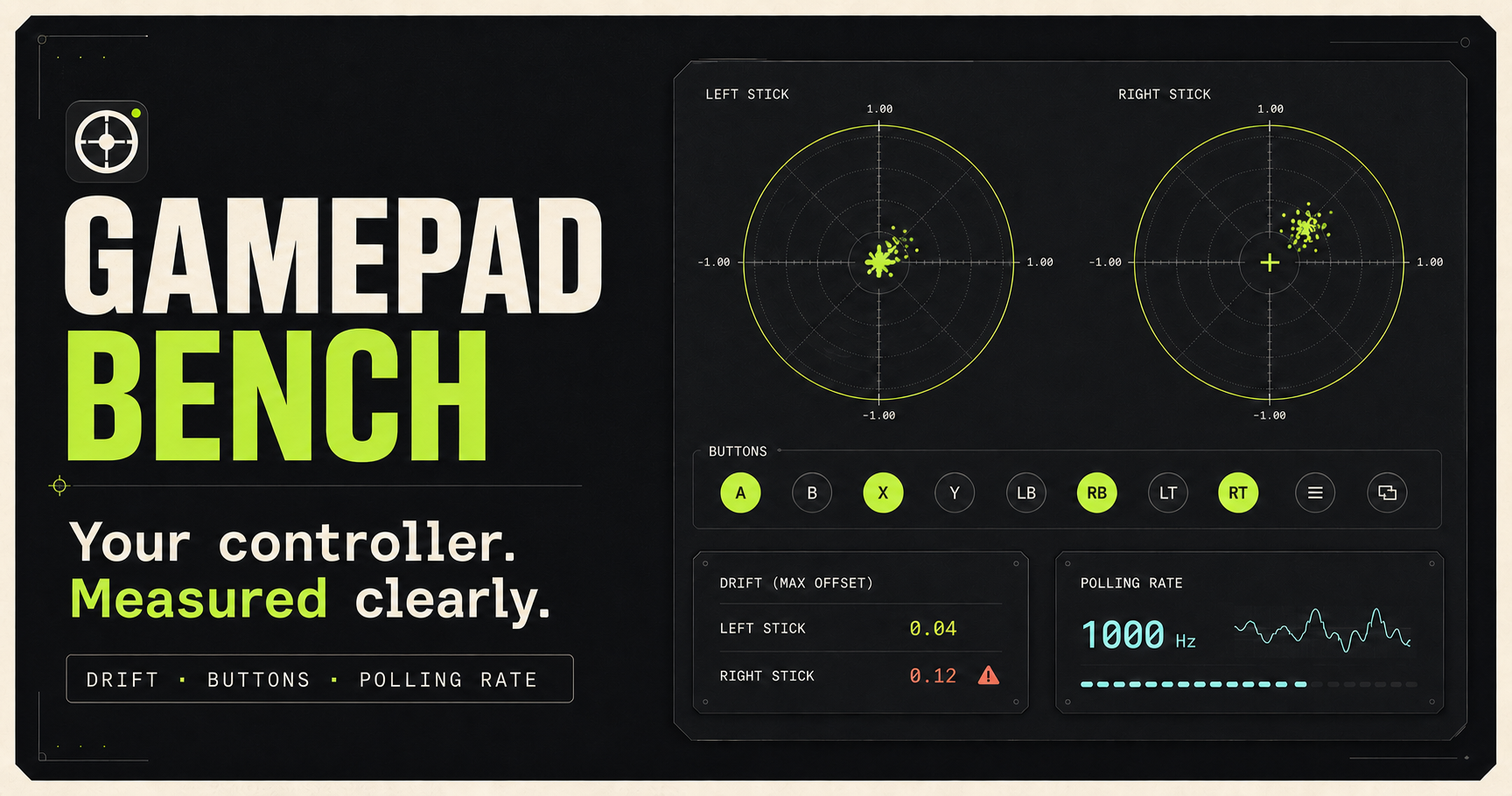
The features stay focused on diagnostics. Stick drift visualization draws the left and right analog sticks so you can see whether the resting point sits at the center or wanders when your thumbs are off the sticks. A button map lights up as you press face buttons, bumpers, stick clicks, the D-pad, menu buttons, and any other controls the pad exposes. Analog triggers are shown as continuous values rather than simple on or off states, so you can watch each trigger move from rest to a full press and notice a dead zone, a flat spot, or a trigger that does not return cleanly. A polling-rate readout estimates how frequently new gamepad samples arrive in the browser. That helps you tell a responsive wired link from a sluggish Bluetooth connection or a tab that is not updating smoothly. Nothing is installed: you open the site, connect the controller, and read the diagnostics on the page.
Using Gamepad Bench takes only a minute. Open the site in a current desktop browser such as Chrome, Edge, or Firefox. Connect the controller by USB or Bluetooth and confirm the operating system already recognizes it. Press a button or move a stick. Some browsers hide the gamepad until the page has been clicked and a button has been pressed, which is a normal part of the Gamepad API rather than a fault in the pad. Watch the stick plots while the sticks are at rest to look for drift. Press each button and confirm it highlights on the map. Squeeze both triggers through their full range. Glance at the polling figure while the controller is active. If the page stays empty, click the page once, press a button again, try another browser, or reconnect the controller. The tester is a live instrument, not a repair utility. It shows what the browser receives. It does not rewrite firmware, and it does not calibrate the controller inside a console.
Privacy follows from the fact that the test runs in the browser. Stick positions, button states, and timing are processed on your own machine so the page can draw the diagnostics. Gamepad Bench does not ask you to install software that would read the controller outside the tab, and the test itself does not require an account. Treat it like any other local web tool: the inputs you make are for the session you are looking at.
Gamepad Bench is positioned as free forever for this browser-based testing workflow. The core diagnostics described here are not locked behind a paid upgrade. This directory listing is for the free standard tool. Use it whenever you want a straightforward look at stick drift, buttons, triggers, and polling rate without leaving the browser.
The tool is for players checking a used or aging pad before a match, parents testing a controller a child says feels wrong, streamers confirming input before going live, and developers who need to see what the browser Gamepad API actually reports. It is also handy when you move between consoles and a PC and want one neutral view of the same device. Gamepad Bench works with controllers the browser exposes through the standard Gamepad API. In practice that includes many Xbox Wireless and Xbox-style pads, PlayStation DualSense and DualShock controllers, Nintendo Switch Pro controllers, and a wide range of generic or third-party USB gamepads. Button labels can differ by browser and by how the operating system presents the device, but the live view still shows the axes and buttons the page receives.
The features stay focused on diagnostics. Stick drift visualization draws the left and right analog sticks so you can see whether the resting point sits at the center or wanders when your thumbs are off the sticks. A button map lights up as you press face buttons, bumpers, stick clicks, the D-pad, menu buttons, and any other controls the pad exposes. Analog triggers are shown as continuous values rather than simple on or off states, so you can watch each trigger move from rest to a full press and notice a dead zone, a flat spot, or a trigger that does not return cleanly. A polling-rate readout estimates how frequently new gamepad samples arrive in the browser. That helps you tell a responsive wired link from a sluggish Bluetooth connection or a tab that is not updating smoothly. Nothing is installed: you open the site, connect the controller, and read the diagnostics on the page.
Using Gamepad Bench takes only a minute. Open the site in a current desktop browser such as Chrome, Edge, or Firefox. Connect the controller by USB or Bluetooth and confirm the operating system already recognizes it. Press a button or move a stick. Some browsers hide the gamepad until the page has been clicked and a button has been pressed, which is a normal part of the Gamepad API rather than a fault in the pad. Watch the stick plots while the sticks are at rest to look for drift. Press each button and confirm it highlights on the map. Squeeze both triggers through their full range. Glance at the polling figure while the controller is active. If the page stays empty, click the page once, press a button again, try another browser, or reconnect the controller. The tester is a live instrument, not a repair utility. It shows what the browser receives. It does not rewrite firmware, and it does not calibrate the controller inside a console.
Privacy follows from the fact that the test runs in the browser. Stick positions, button states, and timing are processed on your own machine so the page can draw the diagnostics. Gamepad Bench does not ask you to install software that would read the controller outside the tab, and the test itself does not require an account. Treat it like any other local web tool: the inputs you make are for the session you are looking at.
Gamepad Bench is positioned as free forever for this browser-based testing workflow. The core diagnostics described here are not locked behind a paid upgrade. This directory listing is for the free standard tool. Use it whenever you want a straightforward look at stick drift, buttons, triggers, and polling rate without leaving the browser.
Official Website
Try Gamepad Bench
Visit the official website to explore this tool and learn more.